
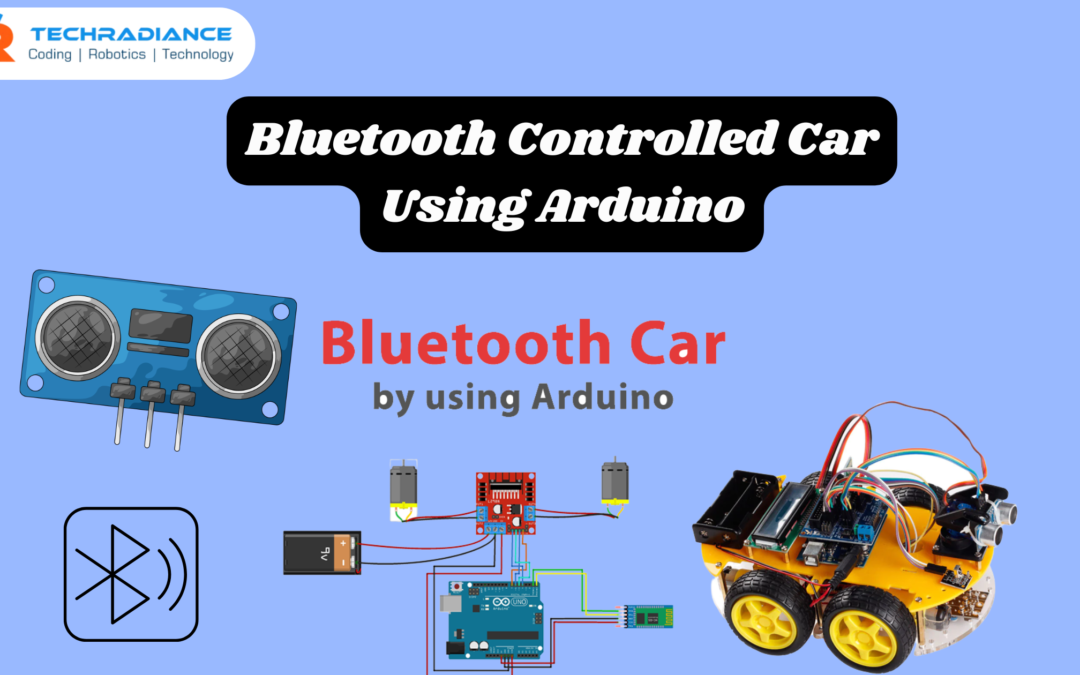
A Bluetooth Controlled Car Using Arduino is a straightforward and fun project that can control a tiny vehicle using your phone. It doesn’t require wires or remote controls. The car is powered by Bluetooth that connects it to your mobile.
This project is ideal for elementary school students as well as beginners looking to learn about robotics simply. At Techradiance, we teach students how to create these projects step-by-step in a fun and thrilling manner. We believe that learning should be fun. This project can help students learn by making things by themselves.
Author: Ashish, a Robotics Expert
🤖 What is a Bluetooth Controlled Car Using Arduino?
A Bluetooth Controlled Car Using Arduino It is a tiny robot car that you are able to control with a smartphone app. It utilises an Arduino board as well as a Bluetooth module to get commands such as the following:
- Moving forward
- Reverse
- Turn left
- Turn left
- Stop
In simple terms:
It is an intelligent car that can listen to your mobile phone and then move in accordance with your instructions
⚙️ What is an Arduino Bluetooth Control Car?
An Arduino Bluetooth Control Car is a kind of robot vehicle that
- Arduino is used to act as the “brain.”
- The Bluetooth module acts as a “communication system.”
- Motors assist in moving the car
This project will help students understand the way that hardware and software interact.
🧠 Why Should You Make an Arduino Bluetooth Car?
Making an Arduino Bluetooth Car isn’t just fun; it is also an excellent experience for learning.
Benefits:
- Increases the logical ability of your brain
- Teach the basics of coding
- Helps to understand electronic devices
- Creates Creativity
- Experiences real-world projects
Techradiance is a school where the Techradiance students work on these projects to build capabilities that are ready for the future.
🧰 Components Required for Arduino Remote Control Car
To construct an Arduino remote control car, you will need the following items:
- Arduino UNO
- Bluetooth Module (HC-05 or HC-06)
- Motor Driver (L298N)
- DC Motors (2 or 4)
- Wheels
- Car Chassis
- Battery (9V or Li-ion)
- Jumper Wires
- Smartphones equipped with Bluetooth App
They are readily available and suitable for novices.
🔌 How Does a Bluetooth Controlled Car Work?
A Bluetooth controlled Car operates in a simple manner:
- You can send a message from your mobile application
- The Bluetooth module detects the signal
- Arduino is able to read the instruction
- The motor driver is in charge of the motors.
- The car is moved in the given direction.
For example:
If you hit “Forward” on your smartphone, then the car will move forward.
🛠️ How to Make Bluetooth Controlled Car Using Arduino (Step-by-Step)
Step 1: Connect the Motors
Connect both motors and the module. module.
Step 2: Connect the Motor Driver to the Arduino
Use jumper wires for connecting the motor driver to Arduino pins.
Step 3: Add Bluetooth Module
Connect to the HC-05 module:
- VCC – 5V
- GND – GND
- TX – RX
- RX – TX
Step 4: Power Supply
Connect the battery to the system.
Step 5: Upload Code
Create and publish the Arduino code with the help of the Arduino IDE.
Step 6: Install Mobile App
You can download every Bluetooth car control application from the Play Store.
Step 7: Pair Bluetooth
Connect your mobile to the HC-05 module.
Step 8: Control Your Car
Press buttons in your app and take control of your vehicle!
💻 Simple Working Logic (Code Explanation)
In this Arduino Bluetooth control car, the code functions as follows:
- Arduino can read information from Bluetooth
- Every command is accompanied by an initial letter (F, B, L, R, S)
- Based on the words, motors can move
Example:
- F = Forward
- B = Backward
- L = Left
- R = Right
- S = Stop
🌟 Features of Bluetooth Controlled Car
The Bluetooth Controlled Car comes with a variety of cool features:
- Wireless control
- It is easy to construct
- Low cost
- Beginner-friendly
- It is possible to upgrade (add cameras, sensors, etc.)
🎯 Applications of Arduino Remote Control Car
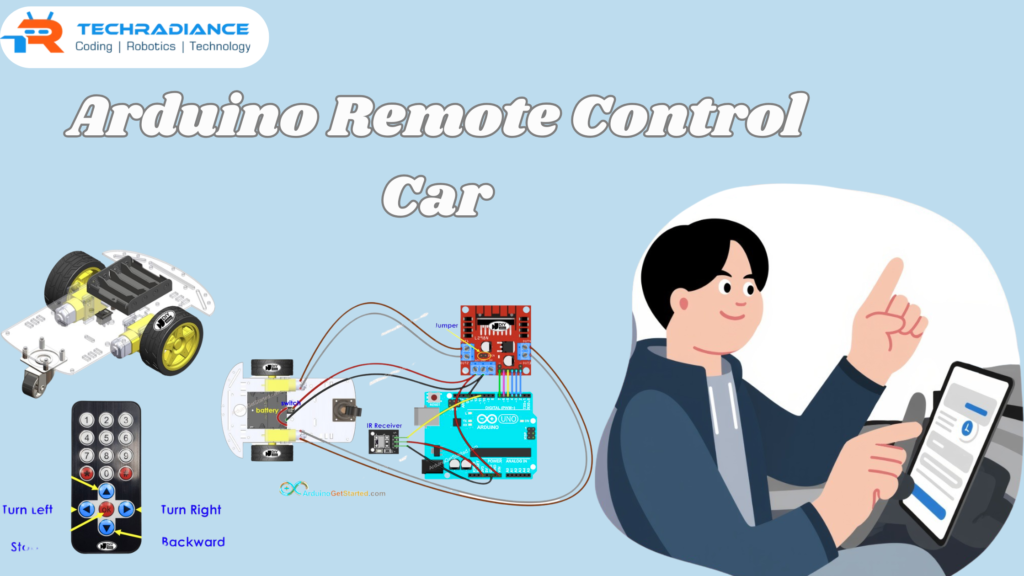
An Arduino Remote Control Car is utilised in a variety of different areas:
- School projects
- Competitions in robotics
- Learning STEM concepts
- DIY projects for hobbies
- Engineering basics
🔍 Difference Between Bluetooth Car and Remote Control Car
| Feature | Bluetooth Car | Remote Control Car |
| Control | Mobile Phone | Remote Device |
| Technology | Bluetooth | RF |
| Range | Medium | Medium |
| Learning Value | High | Medium |
Bluetooth cars are better for learning and coding.
⚡ Common Problems and Solutions
Problem 1: The car isn’t moving
Make sure you check the battery and wiring
Problem 2. Bluetooth isn’t connecting
Be sure that the pairing is done properly
Problem 3: Motors aren’t working
Verify connections to the motor driver.
🎓 Why Choose Techradiance for Robotics Learning?
Techradiance is a place where students can learn about Arduino and Bluetooth. Techradiance, the students are given hands-on experience working on projects such as Bluetooth Controlled Car Using Arduino.
What is it that makes Techradiance unique?
- Simple learning for novices
- Practical training
- Professional guidance
- Real-world projects
- Fun + education
Ideal for students in school who wish to learn about robotics in a way that is easy for them to understand.
💬 Real Student Testimonials
⭐⭐⭐⭐⭐
“I created the first Bluetooth Controlled Car with Techradiance. It was very simple and enjoyable! ” – Aarav
⭐⭐⭐⭐⭐
“Now I can understand the way Arduino functions. This project has helped me tremendously. ” – Riya
⭐⭐⭐⭐
“Best experience in learning. I was able to control my car on my smartphone! ” – Kabir
🏁 Final Thoughts:
This Bluetooth Controlled Car Using Arduino is among the top beginner robotics projects. It’s simple and fun, and it helps you develop numerous important skills, such as programming, electronics, and problem-solving.
If you are looking to begin your journey into robotics, this project is the ideal start. With the help of Techradiance, you can effortlessly create your own smart car and discover the fascinating technological world.
Frequently Asked Questions
1. What is a Bluetooth Controlled Car Using Arduino?
It’s a smart vehicle that is controlled by a mobile phone via Bluetooth.
2. How does an arduino bluetooth control car work?
It receives signals from a mobile, and it moves the motors depending on the signal.
3. Is an arduino bluetooth car easy to make?
Yes, it’s simple and suitable for beginners and students in school.
4. What components are needed for an arduino remote control car?
You will require an Arduino Bluetooth module, a driver for motors, batteries, motors, and wires.
5. Which app is used for a Bluetooth Controlled Car?
Any basic Bluetooth control application from the Play Store can be utilised.