
Smart Stick for Blind People: Features, Benefits & How It Works
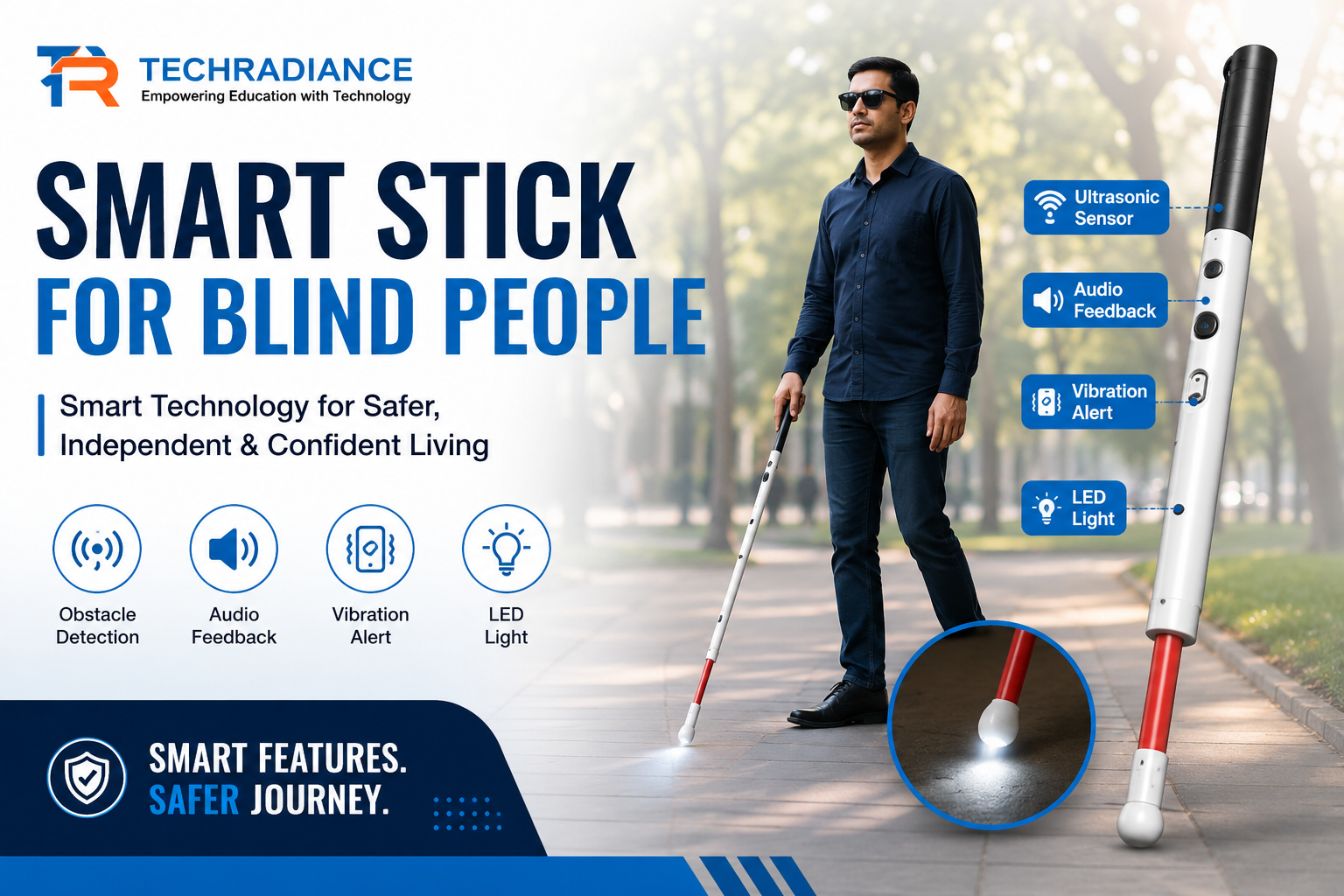
Imagine strolling down a path without the ability to see what’s ahead. A small rock, a barrier, a staircase, or a puddle could present a significant challenge. This is where technology can simplify everyday living.
A Smart Stick for Blind People with visual impairments is a technology-driven walking aid designed to assist blind people in identifying obstacles and navigating more safely. In contrast to a conventional walking stick, a smart stick utilizes sensors, a buzzer, vibrations, and occasionally other technologies to alert the user about items obstructing their way.
Smart sticks serve as an excellent illustration of how robotics, electronics, and programming can address real-world challenges. Students can even explore this technology by developing a smart blind stick project using
Author: Himanshu (Content Writer)
What Is a Smart Stick for Blind People?
A Smart Stick for Blind People is a supportive device that merges a conventional walking stick with advanced electronic technology. Typically, it has sensors that can identify barriers. When an obstacle is sensed, the device emits an alert through a buzzer or a vibration motor. This assists the user in recognizing that something is in close proximity. In simpler terms: A smart stick is a mobility aid that employs sensors and electronics to identify obstacles and notify a person with visual impairment. Depending on its configuration, a smart stick can recognize objects like walls, furniture, vehicles, stairs, or other impediments.
Why Is a Smart Stick Needed?
A conventional walking stick assists visually impaired individuals in sensing objects that are near the ground. However, it might not always identify obstacles that are at a higher level or situated further away. A smart stick can enhance this experience by providing additional information.
Forexample, consider a person approaching a wall. A sensor embedded in the stick can recognize the wall before the individual reaches it, triggering a sound or vibration as a warning. This feature can facilitate navigation and offer extra safety measures. It’s crucial to understand that a smart stick serves as assistive technology, complementing rather than substituting mobility training, guidance, or other accessibility resources.
How Does a Smart Stick for Blind People Work?
The operation of a smart stick designed for visually impaired individuals can be clearly understood through a step-by-step explanation.
Step 1: The Sensor Identifies an Obstacle
An ultrasonic sensor is typically installed on the walking stick to detect objects.
The sensor emits ultrasonic waves. When these waves encounter an object, they reflect back.
Step 2: The Controller Analyzes the Data
The information from the sensor is processed by a microcontroller.
In many student projects, an Arduino is utilized as the controller. It interprets the sensor data and determines if an obstacle is nearby enough to trigger a warning.
Step 3: The System Issues a Notification
When an obstacle is identified, the controller activates a signaling device.
- This could be:
- A buzzer
- A vibration
What Are the Main Components of a Smart Blind Stick?
Depending on the design, the components may change. A simple smart blind stick project could consist of:
The Arduino board: Serves as the project’s brain.
Ultrasonic sensor: Assists in identifying obstructions in the vicinity.
Buzzer: When an obstruction is discovered, a buzzer sounds.
Vibration motor: Offers a tangible alert.
Battery: Provides the gadgets with electricity.
Connecting wires: Join the various parts.
Switch: Assists in turning the system on and off.
Walking stick: Supports the electronic parts.
Additional sensors, GPS, Bluetooth, water detection, and mobile communication are examples of more sophisticated designs.
What Are the Features of a Smart Stick?
The model and technologies used determine a smart stick’s features. Typical characteristics include:
1. Detection of Obstacles
The capacity to identify things in the user’s route is the primary feature.
2. Audio Warnings
When an obstruction is recognized, a buzzer can sound an alert.
3. Vibration Warnings
Through touch, a vibration motor can give a silent warning.
4. Design for Portability
It is possible to create a smart stick that is both lightweight and portable.
5. Control Based on Arduino
Arduino can be used in educational versions to process sensor data and manage the warning system.
6. Detection of Water
Sensors that identify water on the ground may be included into some complex designs.
7. Several Sensors
Obstacles in various directions can be detected using multiple sensors.
Depending on the project’s requirements and goals, these functionalities may be included.
What Are the Benefits of a Smart Stick for Blind People?
A Smart Stick for Blind People can provide a number of practical advantages.
Increased Awareness of Obstacles
The stick helps the user become aware of objects that could be challenging to notice with a regular stick alone by detecting specific barriers and sending out an alarm.
Simple Alerts
Alerts that employ sound or vibration can convey information without the user having to look at a screen.
Beneficial Assistive Technology
For those with vision impairments, a smart stick might serve as an extra tool.
Students’ Opportunity to Learn
Students can learn about sensors, circuits, programming, Arduino, and problem-solving by building a smart stick.
Use in the Real World
Pupils are able to comprehend that technology is more than just computers and video games. It can also be applied to tackle significant challenges in daily life.
Scope for Improvement
Additional features like GPS, mobile connectivity, water detection, or other sensors can be added to a simple project.
What Is a Smart Blind Stick Project?
An educational or useful project that enhances a standard walking stick with electrical components is called a Smart blind stick project.
Students can attach an Arduino board to an ultrasonic sensor, for instance. The distance between the stick and an obstruction can be measured by the sensor. When the barrier is within a predetermined range, the Arduino can then turn on a buzzer or vibration motor.
Because students can see their programming and electronics working on a real-world problem, this kind of project is popular in school science exhibitions, robotics activities, STEM classrooms, and innovation initiatives.
How to Make a Smart Blind Stick Using Arduino?
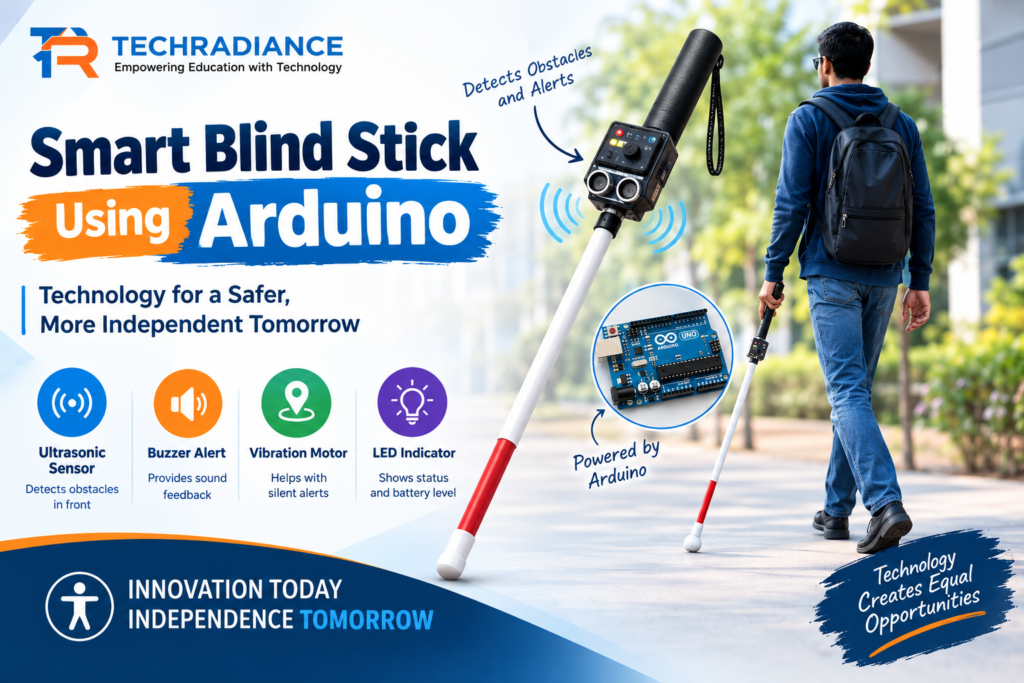
You can connect an Arduino board, an alarm device, and an ultrasonic sensor to create a simple Smart blind stick.
In general, the procedure is:
Arduino → Sensor → Processing → Alert
The Arduino is first linked to the ultrasonic sensor. The distance that the sensor measures is programmed into the Arduino.
The Arduino notifies the buzzer or vibration motor when the measured distance falls below the chosen safety range.
For instance, the vibration motor may turn on or the buzzer may begin to sound if an obstruction approaches the stick.
When working with batteries, wiring, and electronic components, students should construct such projects under the supervision of a teacher or robotics instructor.
Can Students Build a Smart Walking Stick for the Blind?
Yes, for children, a simple smart walking stick for the blind might be an excellent STEM and robotics learning project.
It is not necessary for students to begin with a complex design. They can start with just one alarm system and one sensor.
After they grasp the fundamentals, they can investigate more complex concepts like:
- Including several sensors
- Including water detection
- GPS technology
- Linking the gadget to a mobile program
- Including rechargeable batteries
- Increasing the weight and size of the stick
- generating various vibrational patterns
The most crucial step is to comprehend the issue before coming up with a secure solution.
How Can Schools Teach Students About Smart Stick Technology?
Smart stick projects are an effective way for schools to expose kids to a number of key STEM concepts.
For children, a simple smart walking stick for the blind might be an excellent STEM and robotics learning project.
It is not necessary for students to begin with a complex design. They can start with just one alarm system and one sensor.
Pupils can discover:
Science: The operation of sensors and ultrasonic waves.
Technology: How electronic gadgets can resolve practical issues.
Engineering: The process of creating and refining a functional device.
Programming: The process by which Arduino interprets sensor data and manages outputs.
Mathematics: How sensors use measurements and distance.
As a result, the project is no longer merely a model. Students get the chance to learn how many topics can complement one another.
Through robots, artificial intelligence, coding, and STEM-based learning activities, students can investigate such practical ideas at Techradiance. Instead of only reading about technology, practical projects allow students to develop and experiment with it.
Smart Stick vs Traditional Walking Stick
Traditional walking sticks primarily help in the physical detection of objects and ground changes.
For children, a simple smart walking stick for the blind might be an excellent STEM and robotics learning project.
| Feature | Traditional Walking Stick | Smart Stick |
| Physical support | Yes | Yes |
| Obstacle detection | Mainly through physical contact | Can use sensors |
| Sound alert | No | Possible |
| Vibration alert | No | Possible |
| Electronics | No | Yes |
| Arduino integration | No | Possible |
| Technology-based learning | Limited | High |
A smart stick does not negate the utility of a conventional walking stick. Rather, it illustrates how technology can enhance an already-existing tool with additional features.
What Is the Future of Smart Stick Technology?
Assistive technology has the potential to go even further in the future.
For children, a simple smart walking stick for the blind might be an excellent STEM and robotics learning project.
It is not necessary for students to begin with a complex design. They can start with just one alarm system and one sensor.
Future smart sticks might integrate sensors with speech technologies, mobile apps, AI, GPS, and connected gadgets.
For example, a future system might employ audio or a linked mobile device to give the user information about their surroundings.
However, safety, dependability, affordability, comfort, and usability should always be the top priorities for cutting-edge technology.
Adding additional technology shouldn’t be the only objective. Developing technology that actually benefits people should be the aim.
Student Testimonials
“I learned how an ultrasonic sensor operates thanks to the smart stick project. For children, a simple smart walking stick for the blind might be an excellent STEM and robotics learning project.
It is not necessary for students to begin with a complex design. They can start with just one alarm system and one sensor.
Seeing the buzzer react when an object approached was entertaining.
— Aarav, a student of robotics at school
“I thought Arduino was all about coding before this project. I gained an understanding of how programming, sensors, and hardware interact after completing the project.
— Ananya, a student of STEM
“Because we were making something that could solve a real-world problem, the project made robotics feel useful.”
Rohan, a student in the School Innovation Program
Note: Before publication, verified consumer or student feedback should be used in place of these illustrative student testimonials for instructional content.
Final Thoughts:
A simple yet significant example of how technology may be used to solve real-world problems is a Smart Stick for Blind People. It can offer more details about impediments by integrating sensors, a microprocessor, and alert systems with a walking stick.
Another great option for children to learn about Arduino, sensors, programming, electronics, and engineering is through a smart blind stick project.
The most crucial lesson is that technology should solve actual issues and make life easier, whether it is a simple smart stick for blind users or a more sophisticated smart blind stick using Arduino.
Students can investigate robotics and STEM projects that link academic ideas with real-world applications through Techradiance’s experiential learning programs.
Assistive technology has a bright future ahead of it, and student efforts from today may serve as the foundation for future advancements.
Frequently Asked Questions
1. What is a smart stick for blind people?
An assistance walking device called a “smart stick” uses sensors and electronics to identify specific hazards and send out notifications via vibration or sound.
2. How does a smart blind stick work?
A smart blind stick uses sensors to detect obstacles. A controller processes the sensor information and activates an alert, such as a buzzer or vibration motor, when an obstacle is detected.
3. Can we make a smart blind stick using Arduino?
Yes, with an Arduino, an ultrasonic sensor, a buzzer or vibration motor, a battery, and other electronic parts, students can build a simple smart blind stick.
4. What sensor is commonly used in a smart stick project?
Because it can measure the distance between the sensor and an obstruction, an ultrasonic sensor is frequently utilized in educational smart stick projects.
5. What are the benefits of a smart walking stick for the blind?
By using vibration or sound alerts, a smart walking stick can increase obstacle awareness. Additionally, it can be helpful for learning about robotics, electronics, sensors, and Arduino.
6. Is a smart stick a replacement for mobility training?
No. One could classify a smart stick as an assistive technology. It shouldn’t be used in place of mobility instruction, expert advice, or other accessibility resources.